Personal funding
How Do I Submit the Declaration of Acceptance?
Once you have been accepted for a scholarship, you must submit the Declaration of Acceptance. In the following instructions, we will guide you through this process step by step.
- Requirements
- Procedure for submitting the Declaration of Acceptance
- Navigation
- Submitting the Declaration of Acceptance
Requirements
- The status of your initial scholarship or your extension must be set to Funding.
- You have already received a message enclosed with your scholarship documents in the DAAD portal.
Please note:
Please note that the portal is not optimised for use on mobile devices. We therefore do not recommend accessing the portal via a mobile phone or tablet. Please use a desktop computer.
Procedure for submitting the Declaration of Acceptance
Navigation
Once you have received your Letter of Award, you will receive an email informing you about a new message in the portal. This message includes your Declaration of Acceptance.
- Log into the DAAD Portal via www.meindaad.de to open this message.
- Select Personal Funding and then click on Application and Funding Overview.

- Select the funding programme for which you have received a Letter of Award. The selected programme will be displayed in blue text with a blue square on the left-hand side.

- You should now see any messages regarding this programme under “Messages regarding application / funding”.
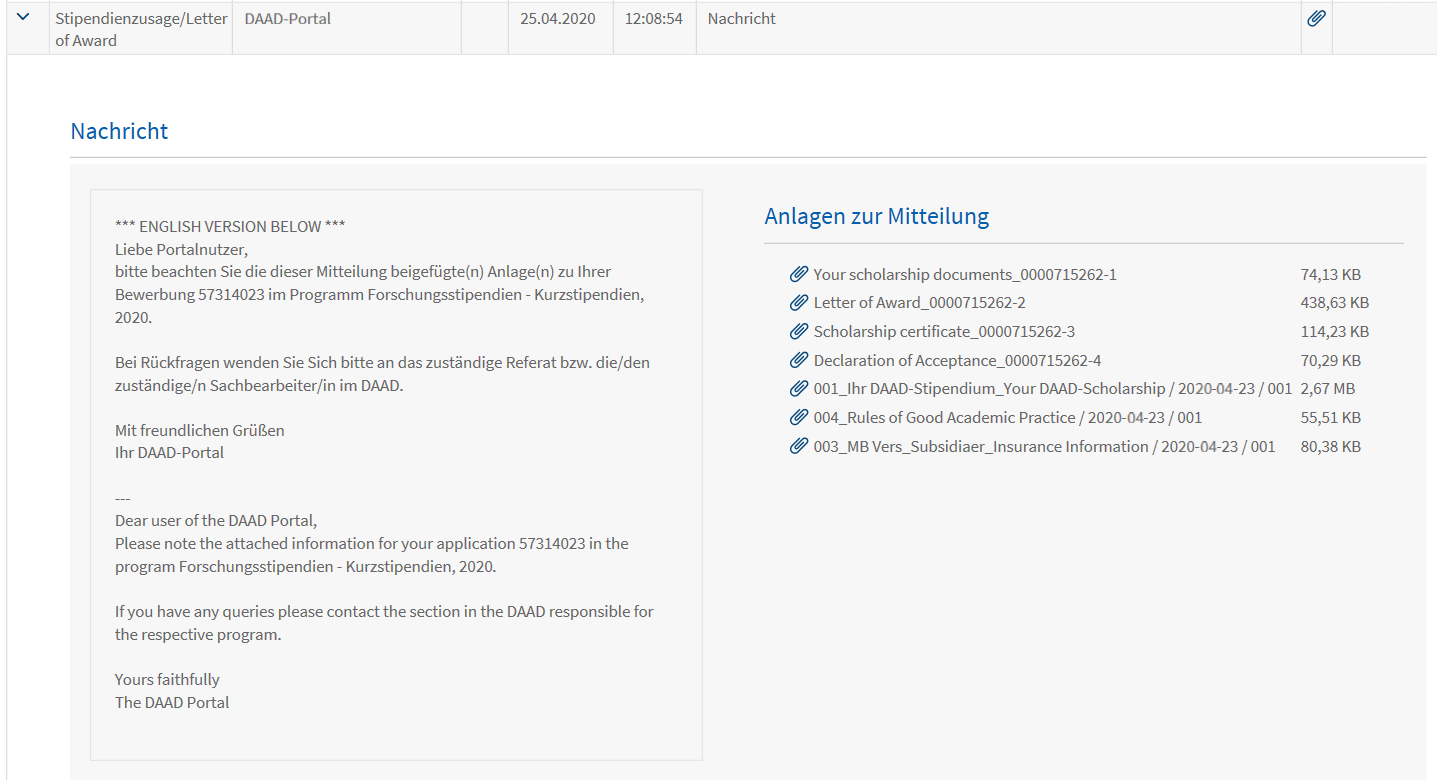
- The Subject of the relevant message is Stipendienzusage/Letter of Award.
- To open the message, click on the arrowhead symbol ˃ to the left of the Subject.
- On the right-hand side of the message, you will find the Declaration of Acceptance along with other attachments.
- Please click on the Declaration of Acceptance document to download it.
© DAAD
Please note:
The downloaded Declaration of Acceptance must be subsequently uploaded in the DAAD Portal.
Submitting the Declaration of Acceptance
- To submit the Declaration of Acceptance, open the Application and Funding Overview as described in the previous steps (see Navigation).
- You can upload the Declaration of Acceptance in the Navigation menu on the left-hand side of the page.
- Please click on the arrowhead symbol ˃ to the left of Declaration of Acceptance to expand the menu item Submit Declaration of Acceptance.

- Please click on Submit Declaration of Acceptance.
- A new page will open where you can upload the document.
- To upload the document, please click on the Upload button. This will allow you to select the file from the relevant folder on your computer.
- Please make sure to give the document a self-explanatory name that is recognisable for our internal proceedings.

- After you have uploaded the file, you will receive a corresponding confirmation.

- If you want to remove the document, click on the Ⓧ icon to the right of the document.

- Click on Send documents to submit the Declaration of Acceptance.

- You will now receive a message to confirming that your Declaration of Acceptance has been successfully submitted.

- A few minutes later, you will receive an email notification letting you know that there is a new portal message in your account. This message officially confirms the submission of your attachments. It also contains a copy of your submitted documents.
- The messaging system can be found in the Application and Funding Overview.
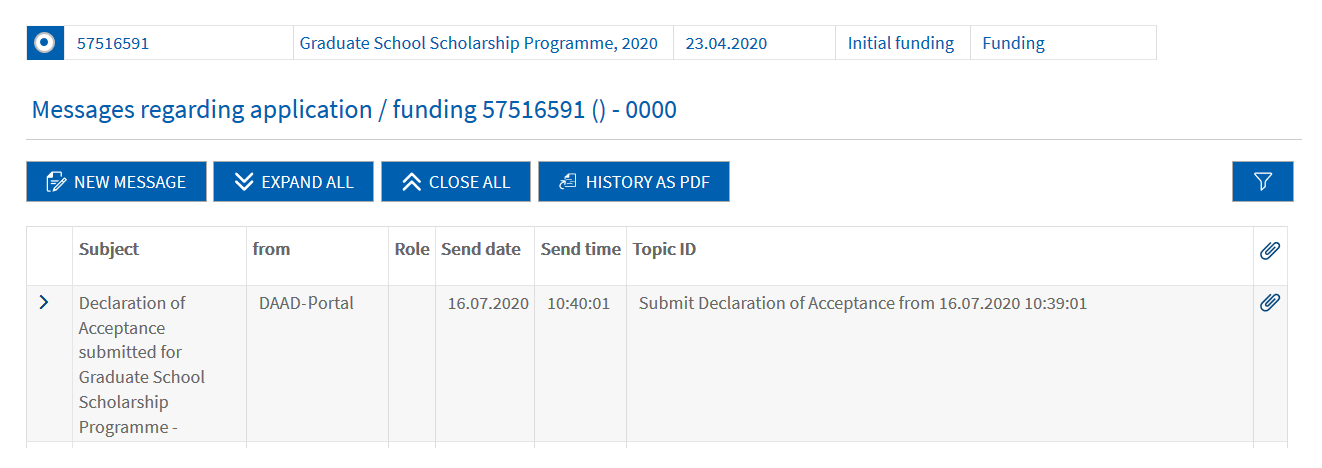
- Select the funding programme for which you have submitted the Declaration of Acceptance. The selected programme will be displayed in blue text with a blue square on the left-hand side.
- The portal messages are located right below your list of funding programmes under Messages regarding application / funding.
© DAAD
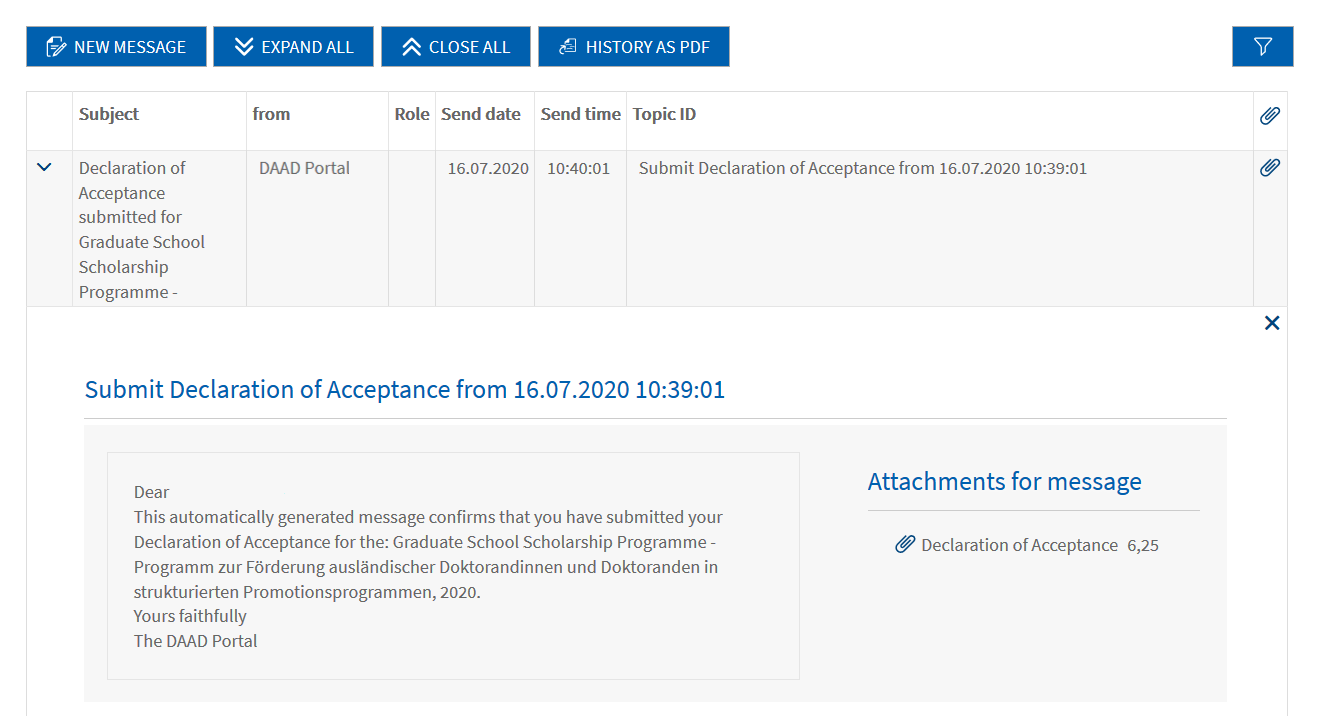
- To open the message, click on the arrowhead symbol ˃ to the left of the Subject.
© DAAD
Please note:
The message officially confirms the submission of the Declaration of Acceptance and provides copies of your submitted documents as PDF attachments.
If you have questions please contact:
In case of technical problems regarding software requirements or passwords, please contact the technical portal support.
You can reach us by email at portal@daad.de.
You can also reach us by telephone on weekdays from 9 a.m. to 12 noon and 2 p.m. to 4 p.m. German time at +49 228 / 882 8888.
If you have any questions regarding the content of the application forms, the application procedure or general questions about the DAAD scholarship programmes, please contact the Info Centre.
You can reach us by email via our contact form at www.daad.de/en/the-daad/contact/contact-study-research-in-germany.