
Personal funding
How Can I Submit Attachments to My Application?
From a technical perspective, it is possible to submit documents for your submitted application or scholarship. For many funding programmes, information regarding the subsequent submission of documents can be found in the application call on our scholarship database. In the following instructions, we will guide you through this process step by step.
- Requirements
- Procedure for the Subsequent Submission of Attachments
- Menu Item Submit document regarding the application/funding
- Submitting the Attachments
Requirements
You have submitted at least one application for personal funding through the portal. Your application status is set to Application submitted or Funding.
Please note:
A subsequent submission of attachments is not possible if your application status is already set to Selection made or Application rejected.
Procedure for the Subsequent Submission of Attachments
Menu Item Submit document regarding the application/funding
- Navigate to the tab Personal Funding and select Application and Funding Overview.

- Select the funding programme you wish to add attachments to, by clicking on the respective entry. The selected programme will be displayed in blue text with a blue square on the left-hand side.

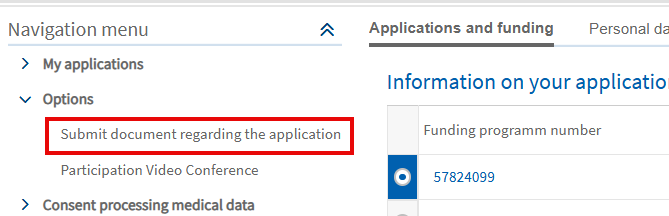
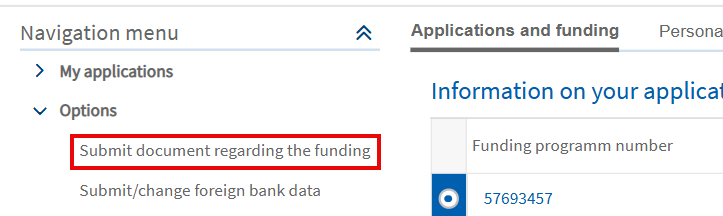
- Go to the Navigation Menu on the left-hand side of the screen. Then click on the arrowhead symbol ˃ to the left of Options.
- You should see an option to submit documents corresponding to your status as either an applicant or scholarship holder, namely Submit document regarding the application or Submit document regarding the funding.
Submitting the Attachments
- A new page will open which where you can upload your document.
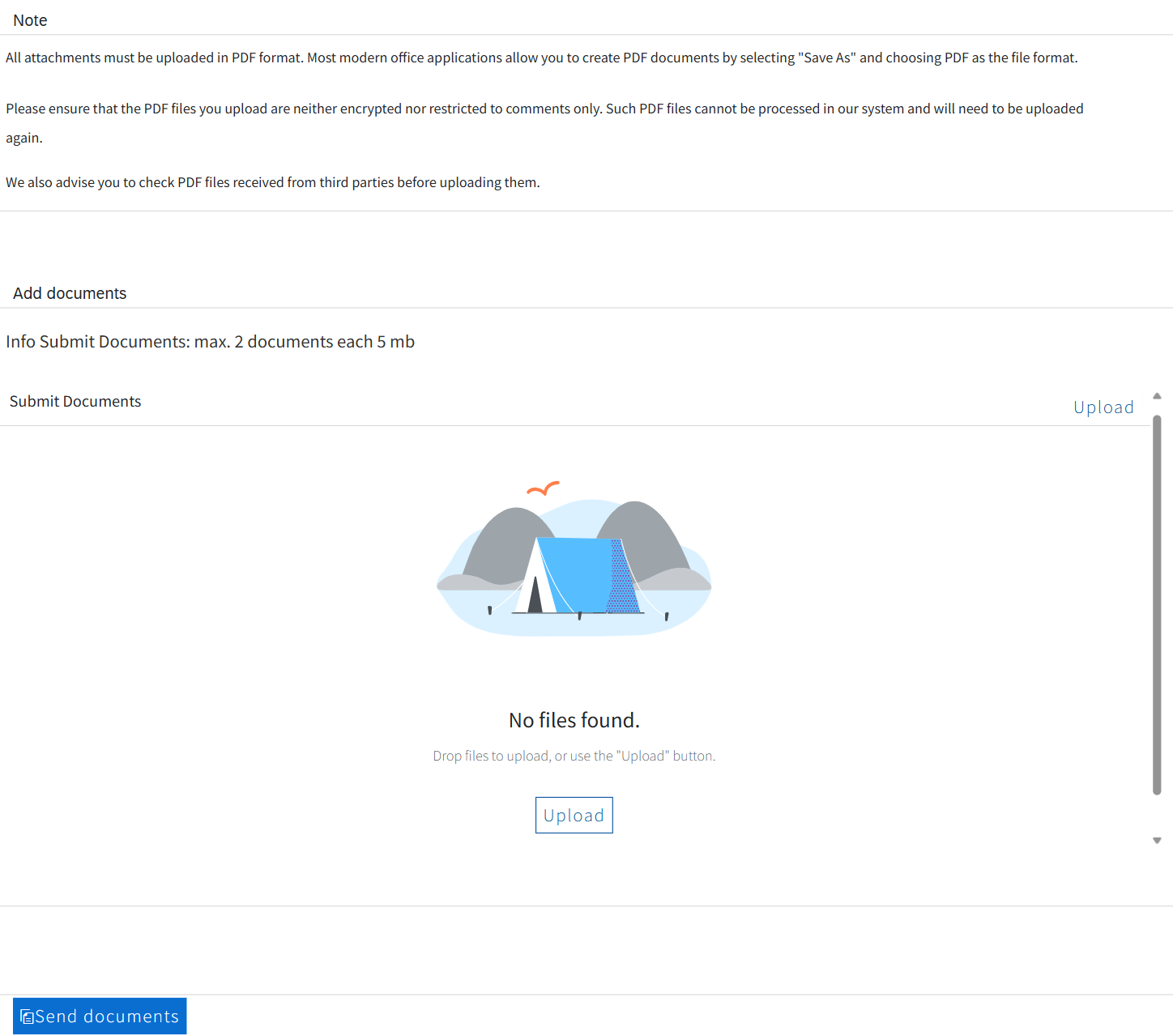
- The attachment types are displayed in separate fields. During the upload, you must choose an attachment type for each document.
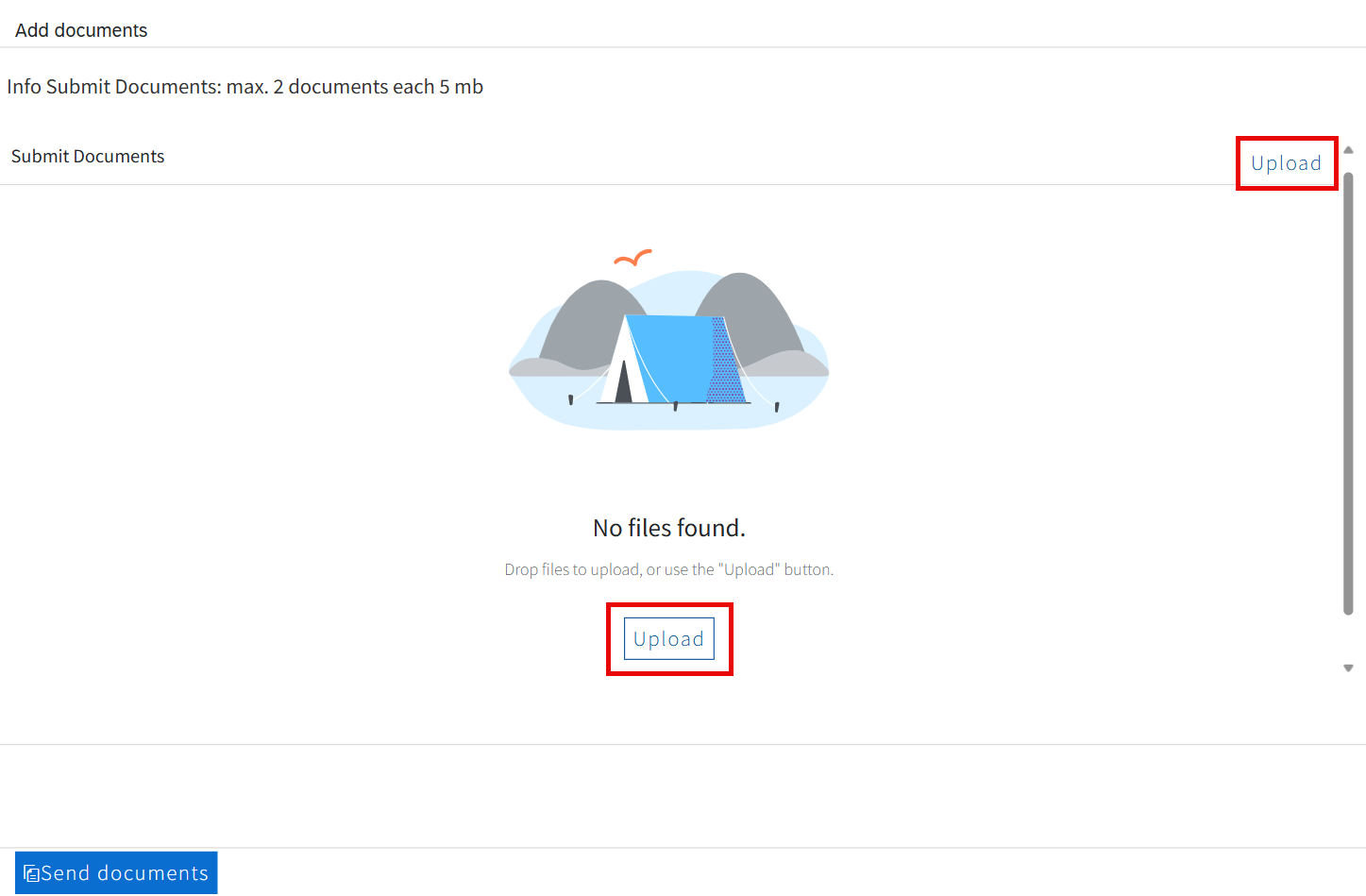
- To upload the document, please click on the Upload button. This will allow you to select the file from the relevant folder on your computer.
- Alternatively, you can drag the file from the relevant folder on your computer into the browser window and drop it onto the desired field.
- Uploading the document is a preparatory step. The final submission of the documents will happen in a subsequent step.
Please note:
If you are already a scholarship holder, you will only see one field where you can upload documents when you submit a document regarding the funding.

Important:
Please make sure your PDF files are not encrypted and do not have any commenting restrictions. Such files cannot be processed by our system and you will have to upload the document again. If you have trouble removing the restrictions, print the file and scan it into PDF format. Please also check documents you have received from third parties.
- After you have uploaded the file, you will receive a corresponding confirmation.

- The added document will also be listed on the page. If you want to remove an uploaded document, click on the Ⓧ icon to the right of the document.

- If you would like to add more attachments, repeat the procedure as described above.
- Click on Send documents to submit your documents.

- You will now receive a message confirming that your attachments have been successfully sent.

- A few minutes later, you will receive an email notification letting you know that there is a new portal message in your account. This message officially confirms the submission of your attachments. It also contains a copy of your submitted documents.
- The messaging system can be found in the Application and Funding Overview.
- Select the funding programme you have submitted attachments to. The selected programme will be displayed in blue text with a blue square on the left-hand side.
- The portal messages are located right below your list of funding programmes under Messages regarding application / funding.
- To open the message, click on the arrowhead symbol ˃ to the left of the Subject.
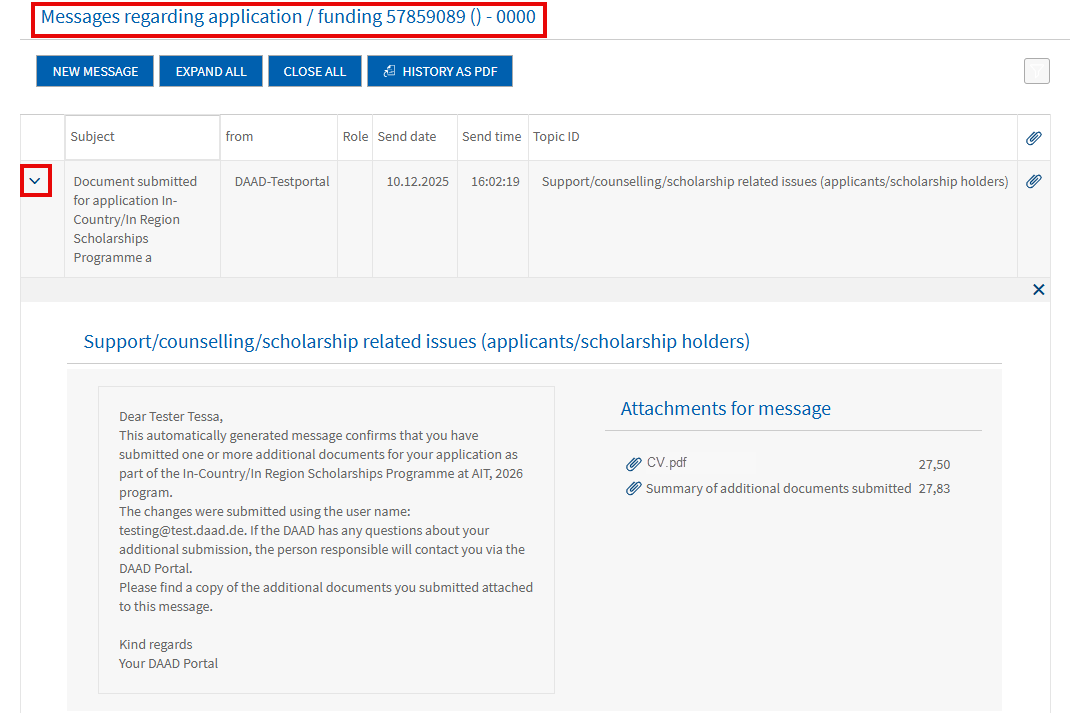
- Additionally, you will receive a second portal message containing a summary of the submitted files.
- Open the message by clicking on the arrowhead symbol ˃ to the left of the Subject.
- You can find the Summary of additional documents submitted under Attachments for message.
Important:
Please note that the second message won’t be provided if the status of your application is already set to Funding!
If you have questions please contact:
In case of technical problems regarding software requirements or passwords, please contact the technical portal support.
You can reach us by email at portal@daad.de.
You can also reach us by telephone on weekdays from 9 a.m. to 12 noon and 2 p.m. to 4 p.m. German time at +49 228 / 882 8888.
If you have any questions regarding the content of the application forms, the application procedure or general questions about the DAAD scholarship programmes, please contact the Info Centre.
You can reach us by email via our contact form at www.daad.de/en/the-daad/contact/contact-study-research-in-germany.