Personal funding
How Can I Create the Letter of Recommendation Form?
- Requirements
- Generating the Letter of Recommendation Form
- Navigation
- Preparing the Letter of Recommendation Form
- Final steps
Requirements
- Letters of recommendation can only be generated during the application period.
Generating the Letter of Recommendation Form
Navigation
- Please click on Create Letter of Recommendation Form.

Preparing the Letter of Recommendation Form
- After clicking on the tab Create Letter of Recommendation Form, you will be forwarded to the below page.
- Please fill in the required information about your referee, funding programme, country of residence and target country as well as other information regarding your application.
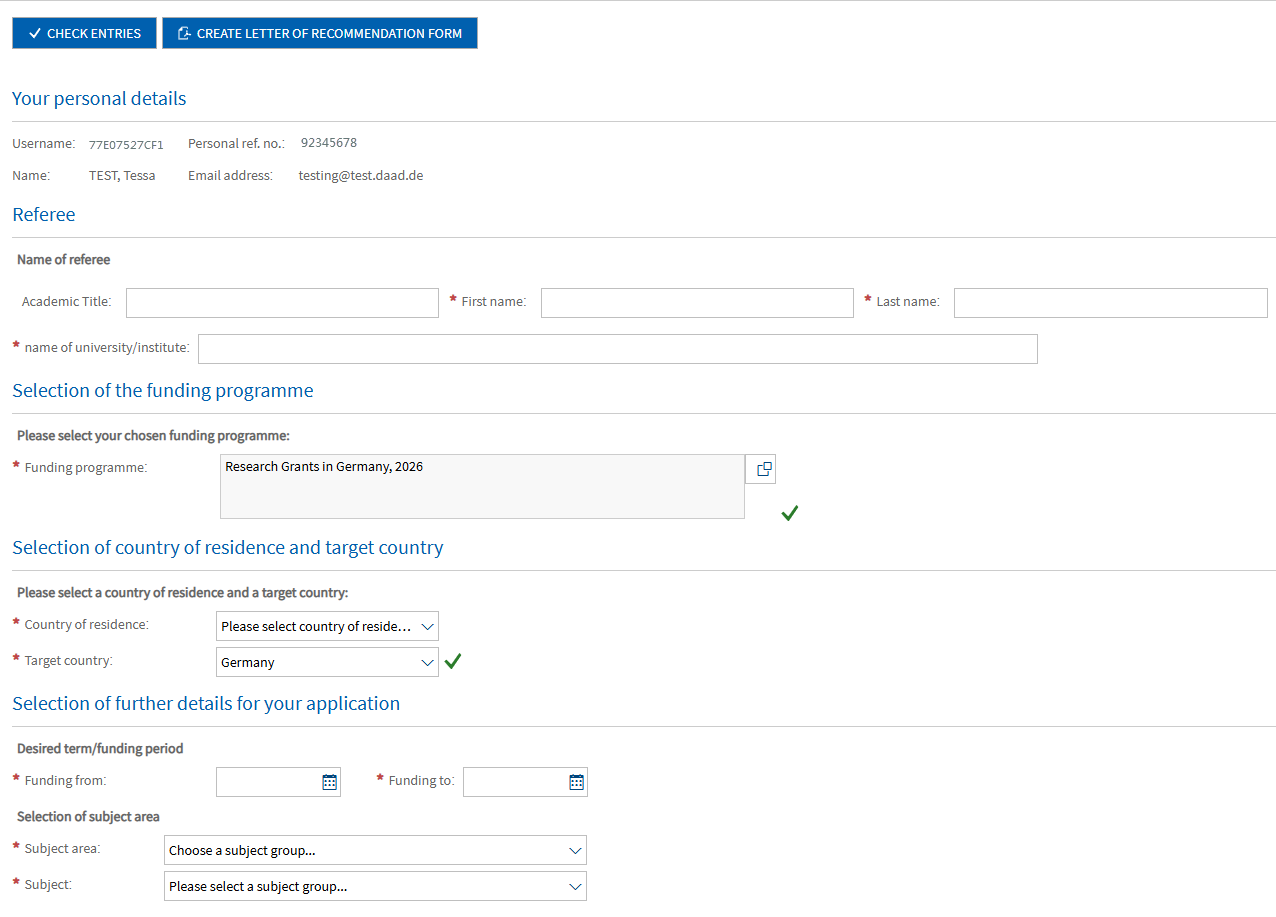
- To select your funding programme, please click on the selection icon to the right of the box under Selection of the funding programme.

- A list of funding programmes should now appear.
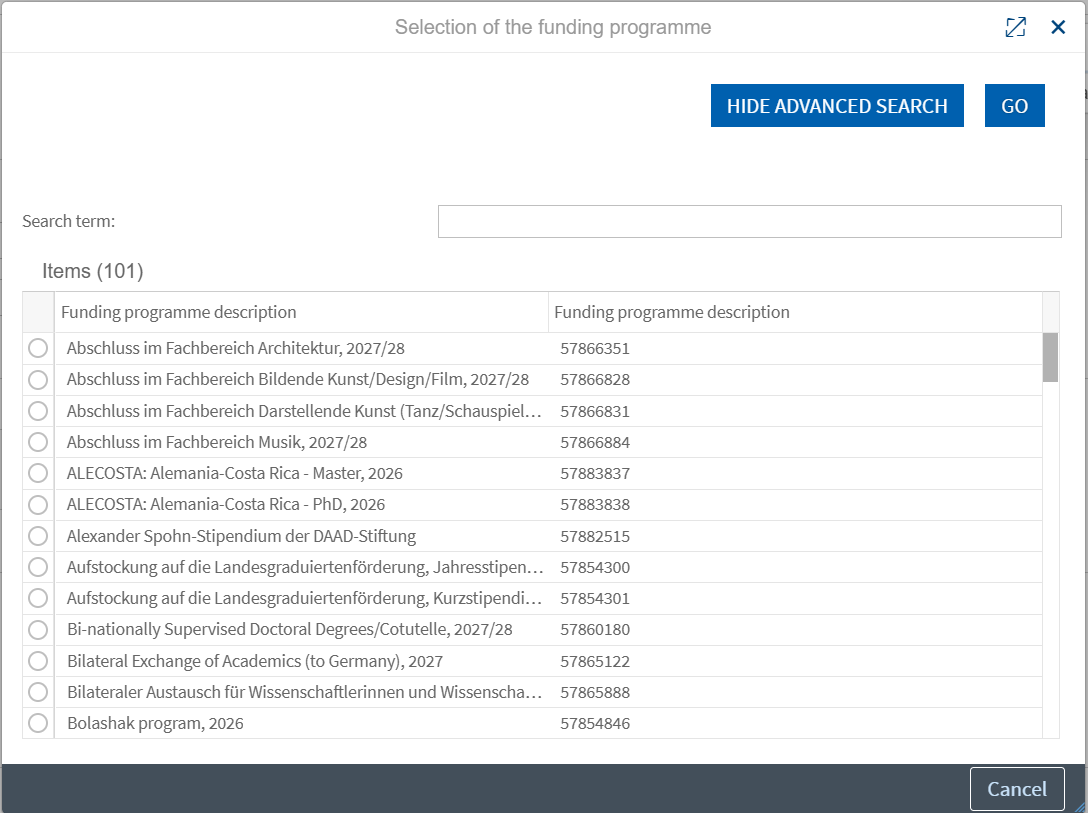
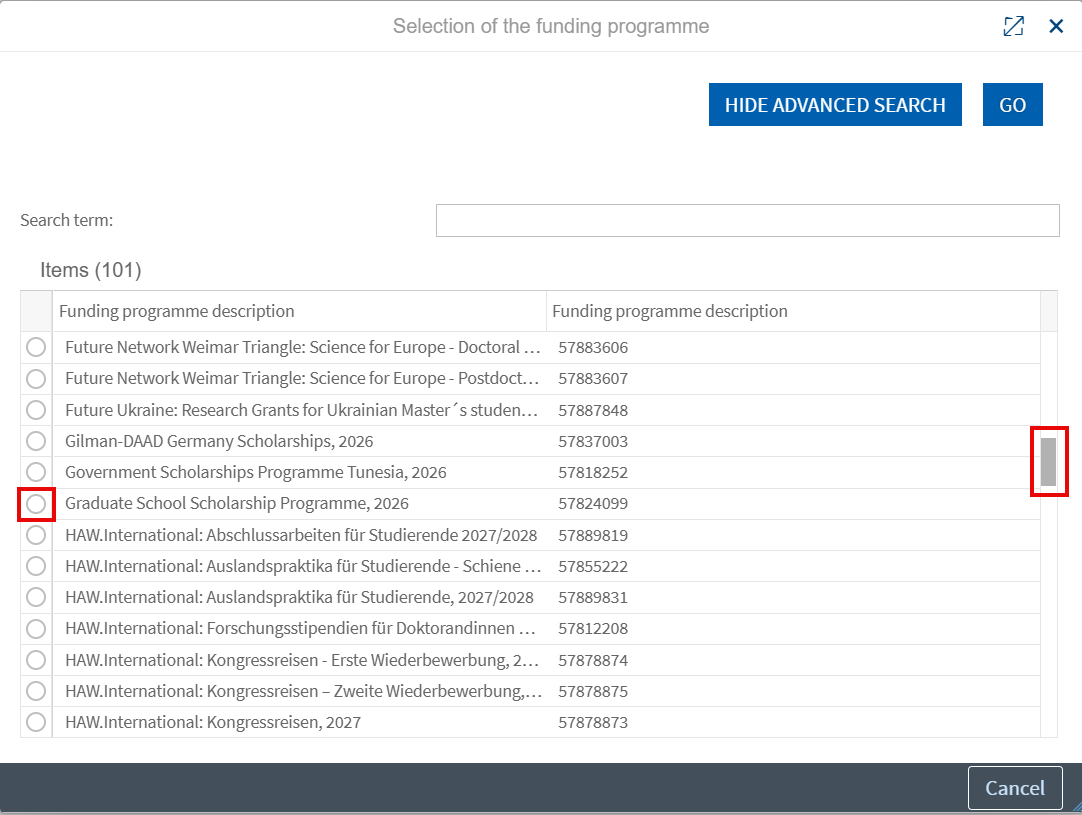
We recommend you scroll through the list to find your funding programme rather than using the search bar.
- To select your funding programme, please click on the circle to the left of the funding programme title.
Check your entries
- Once you have filled in all the required information, you can check if all mandatory fields have been filled in by clicking on Check entries in the top left-hand corner of the page.
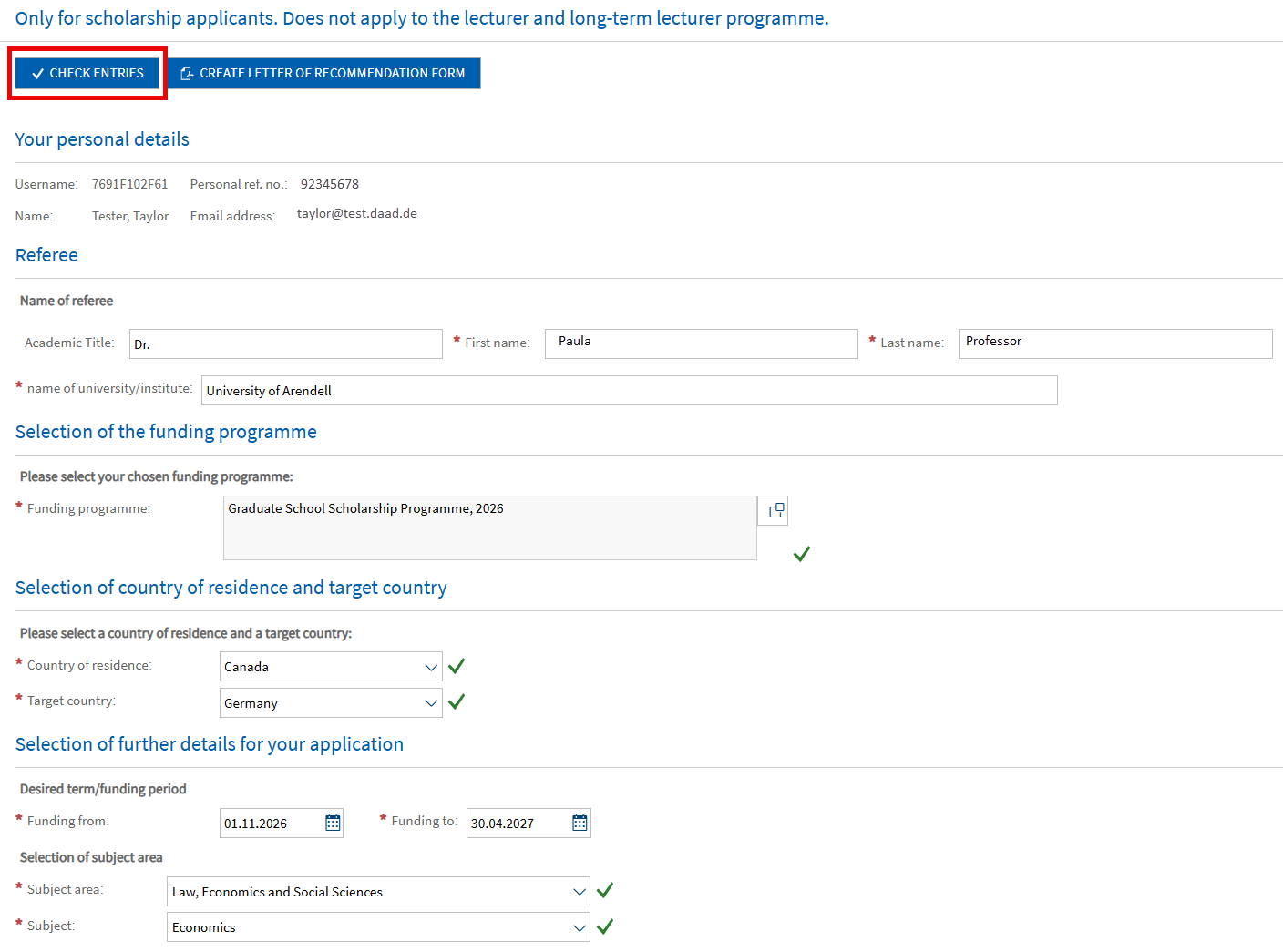
Create Letter of Recommendation Form
- If all mandatory fields have been filled in correctly, you can go ahead and generate the form by clicking on Create letter of recommendation form in the top left-hand corner of the page.

- If the Letter of Recommendation Form has been successfully generated, you will receive the following pop-up confirmation.
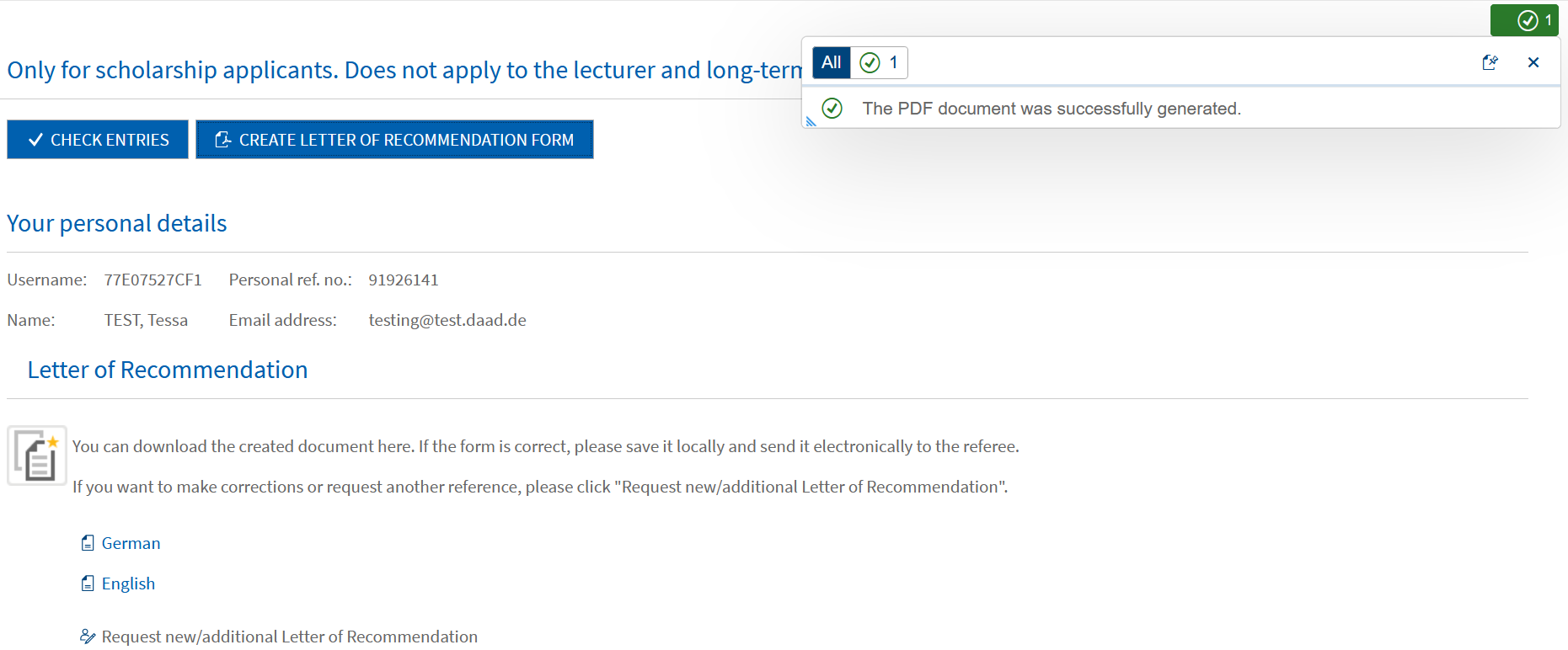
Download Letter of Recommendation Form
- You should now have the option to download the Letter of Recommendation Form in German and English.
- Please click on the respective language to download the required version of the form.
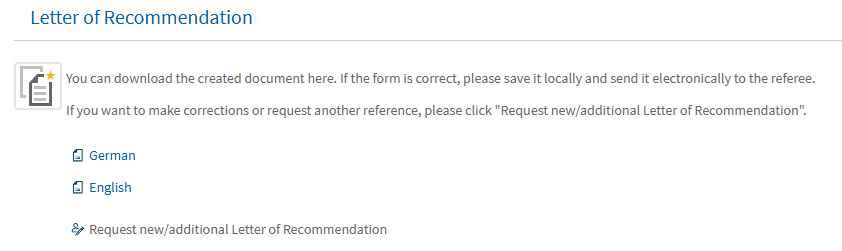
Criteria for the letter of recommendation may depend on the specific application programme. Please check the application call in our scholarship database for all necessary information regarding the letter of recommendation: Scholarship Database – DAAD – Deutscher Akademischer Austauschdienst
- The form should now be downloaded and saved in the Downloads folder on your computer.
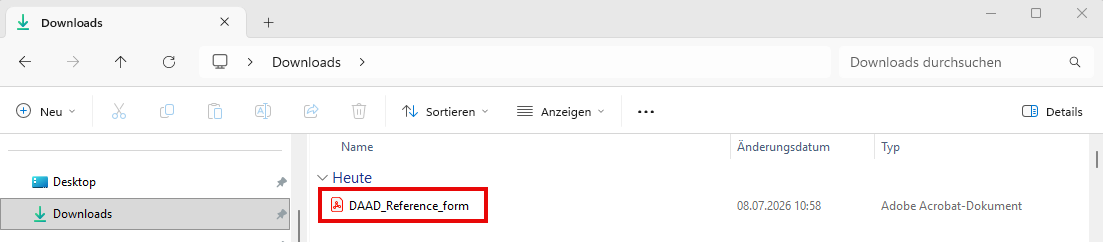
The downloaded Letter of Recommendation Form can only be opened and edited with an up-to-date version of Adobe Acrobat Reader.
If you use a PDF viewer other than Adobe Acrobat Reader (e.g. Foxit Reader), you will be shown a white document with a text asking you to install a current version of Adobe Acrobat Reader. This text also appears if your browser opens the application form instead of Adobe Acrobat Reader (e.g. Chrome, EDGE, Firefox). Browsers have their own rudimentary PDF viewers which do not support the successful processing of our forms.
To open the document correctly, please go to your Downloads folder and right-click on the downloaded document. Select “Open with” > “Adobe Acrobat Reader”. You should now be able to open the document correctly.
You have already installed Adobe Acrobat Reader and still see this notification?
Please try the following workaround:
- Please right-click on the document and select “Save as…” > e.g. on your desktop.
- Then navigate to the saved document on your desktop.
- Right-click on the document and select “Open with…” > “Adobe Acrobat Reader”.
- You should now be able to open and edit the document correctly.
Final steps
- Once you have successfully generated and downloaded the document, please send it to your referee.
- Your referee must open and fill in the document using Adobe Acrobat Reader as described above.
Please make sure that the form contains a proper signature, i.e. a handwritten signature. Unfortunately, digital signatures cannot be processed in our system and typed in names cannot be accepted as proper signatures. Your referee should print out the document, sign it by hand and then scan it as a PDF before sending it back to you.
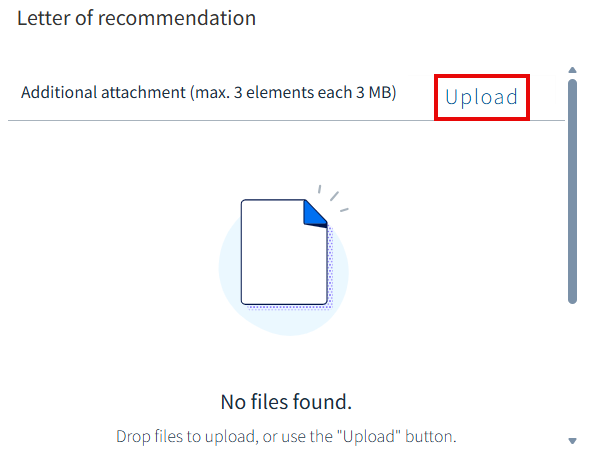
- Once your referee has sent back the properly signed document, you can upload this during the application process under the tab Application in the step Attachments.

If you have questions please contact:
In case of technical problems regarding software requirements or passwords, please contact the technical portal support.
You can reach us by email at portal@daad.de.
You can also reach us by telephone on weekdays from 9 a.m. to 12 noon and 2 p.m. to 4 p.m. German time at +49 228 / 882 8888.
If you have any questions regarding the content of the application forms, the application procedure or general questions about the DAAD scholarship programmes, please contact the Info Centre.
You can reach us by email via our contact form at www.daad.de/en/the-daad/contact/contact-study-research-in-germany.